Mitel ended technical support for MiVoice Office 250 in Canada on June 30, 2026, and recommends MiVoice Business as the upgrade path. Sunco helps businesses review their current system, check phone compatibility, rebuild call flows and plan a low-disruption move to MiVoice Business.
If your business still uses Mitel MiVoice Office 250, you may be wondering what comes next now that manufacturer technical support has ended. Your phone system may still be working as expected, and your team may be comfortable with the way things work today. The challenge is planning for what happens when you need technical support, replacement hardware or a change to your existing setup.
Mitel recommends MiVoice Business as the upgrade path for MiVoice Office 250 customers. For many small and midsize businesses, MiVoice Business on Mitel’s SMB Controller is a practical option, supporting up to 150 users.
At Sunco, we help businesses understand their options, plan the move around their day-to-day needs, and make the transition with as little disruption as possible. Here is what you need to know about replacing MiVoice Office 250 and how to prepare for the next step.
What Happened to Mitel MiVoice Office 250?
Mitel phased out MiVoice Office 250 over several years, with technical support for the platform ending in Canada on June 30, 2026.
New system sales ended on January 31, 2022, followed by the end of sales for replacement parts and add-ons on June 30, 2022. Mitel also stopped scheduling software releases after January 31, 2023, meaning new support issues would no longer lead to software changes.
What Does This Mean for Your Business?
Your existing MiVoice Office 250 system can continue to handle calls, but Mitel no longer provides technical support for the platform. If a hardware component fails or a software issue affects your system, finding a solution may become more difficult.
That does not mean you need to replace a working system overnight. It does mean that planning ahead is important. Knowing what equipment you have, how your team uses the phone system and what needs to carry over will help you make a more informed decision.
One detail is worth keeping in mind. The MiVoice Office Application Suite, including Phone Manager and Call Reporter, has a separate technical support end date of June 30, 2027. This later date does not extend technical support for MiVoice Office 250 itself.
Why Is MiVoice Business the Recommended Replacement for MiVoice Office 250?
MiVoice Business allows businesses to stay with Mitel while gaining more flexibility in how their phone system is deployed, managed and paid for.
For many smaller organizations, MiVoice Business on the SMB Controller is a natural starting point. Mitel designed the controller for small businesses and branch locations, with support for up to 150 users. Larger organizations can consider virtual deployments based on their requirements.
The right setup depends on how your business operates, the features your team relies on and the level of flexibility you need.
MiVoice Business offers several deployment and purchasing options:
- On premises: Keep the phone system at your business.
- Private cloud: Have a service provider host and manage the system.
- Public cloud infrastructure: Deploy the system using platforms such as AWS or Azure.
- Purchase or subscription: Choose a purchasing model that suits your business and budget.
This flexibility gives businesses an opportunity to look beyond replacing their existing equipment. You can also consider how your communication needs may change as your organization grows.
What Changes for Your Team After Moving to MiVoice Business?
A phone system is part of your team’s everyday routine. People know how to transfer calls, retrieve messages and reach the right person. A successful migration needs to preserve those familiar workflows while introducing improvements that make work easier.
Here are some of the changes businesses can expect with MiVoice Business.
Voicemail You Can Read in Your Email
MiVoice Business supports voicemail transcription and delivery to email. Instead of listening to every message, employees can read a transcription when they need to check a message quickly or are unable to listen to audio.
Larger Conference Calls
MiVoice Office 250 supports conference calls with up to eight participants. MiVoice Business supports conferences with up to 100 participants, giving teams more room to collaborate.
More Collaboration Options
MiCollab replaces the MiVoice Office Application Suite as the collaboration application associated with the new platform. It adds capabilities such as group video meetings and support for Mac computers.
More Integration Opportunities
MiVoice Business supports integrations with Microsoft and Google tools, giving businesses more options for connecting their communications with the applications employees already use.
Greater Resilience
MiVoice Business can be configured with redundancy to reduce reliance on a single piece of equipment. The right design depends on your business requirements and how much continuity your organization needs.
A Note About Phone Extensions
There is one practical change to plan for early. MiVoice Office 250 supports several extension lengths, including three-digit extensions. MiVoice Business commonly uses four- or seven-digit extensions, depending on the deployment and configuration.
If your employees have used the same short extensions for years, changing them may require some adjustment. Reviewing the numbering plan before migration helps your team prepare and gives you time to communicate any changes.
How Sunco Helps Businesses Move From MiVoice Office 250 to MiVoice Business
No two businesses use their phone systems in exactly the same way. A receptionist may manage dozens of calls each day, a warehouse may rely on overhead paging, and a manager may need to receive calls while away from their desk.
These details matter when planning a migration. At Sunco, we start by understanding how your current system supports your business, then use that information to plan the transition.
1. Review Your Existing Phone System
We begin by documenting the current setup, including phone numbers, lines, extensions, call groups and after-hours greetings.
We also review the equipment connected to your system, such as fax machines, door phones and other analog devices. These connections can be easy to overlook, but they may be important to daily operations. Mitel’s SMB Controller supports analog device connectivity, subject to the appropriate configuration and hardware requirements.
2. Check Your Desk Phones and Connected Equipment
Not every existing phone can move directly to the new platform.
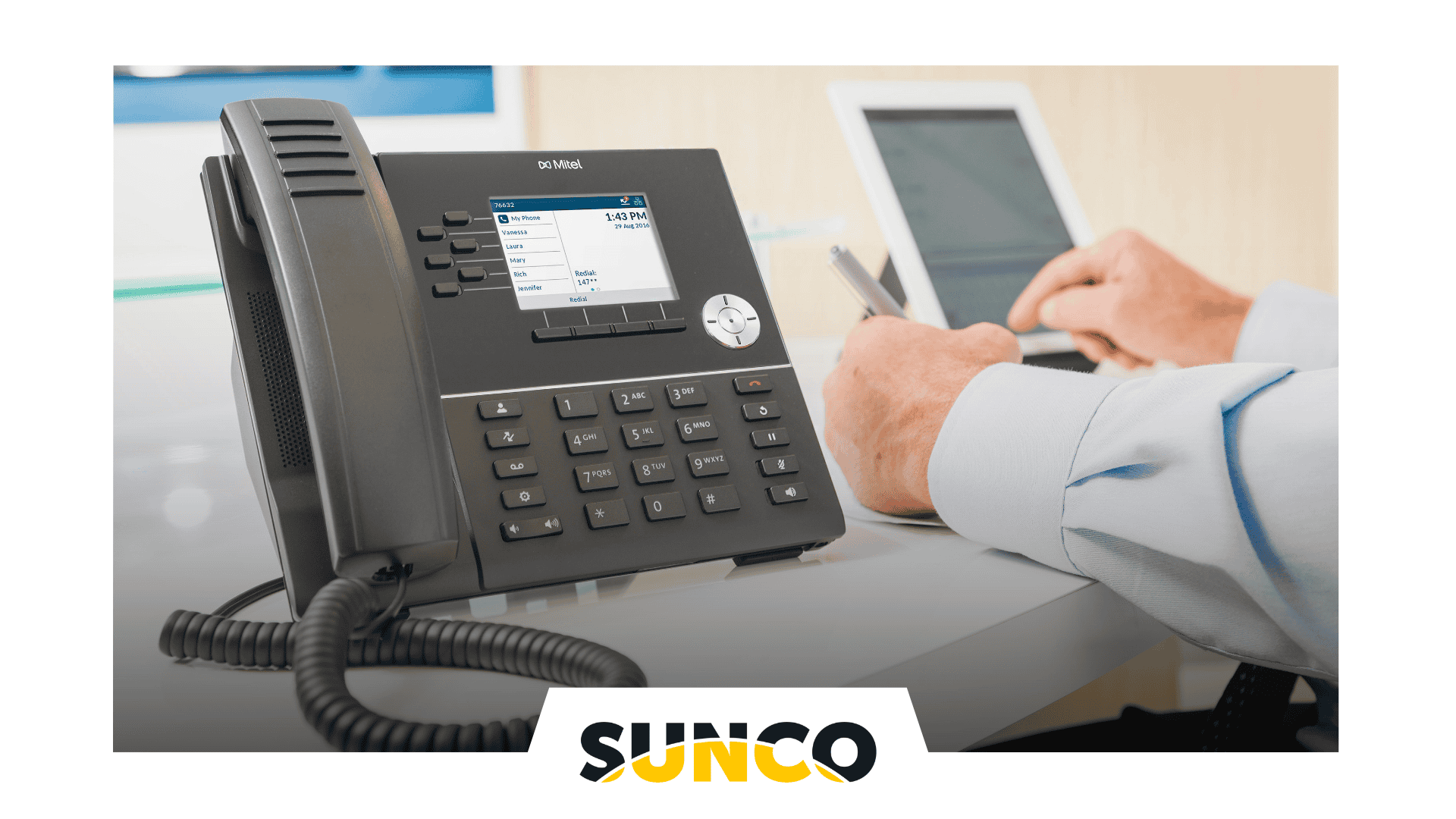
Mitel’s 85xx digital desk phones were designed for MiVoice Office 250, while the 6900 series includes phones designed to work natively with MiVoice Business. Existing handsets therefore need to be checked against the target system before the migration is finalized.
This review helps establish what can be reused, what needs to be replaced and what should be tested before the change takes place.
3. Rebuild and Test Your Call Flows
Your main business number is only one part of the picture. Calls may need to reach a receptionist, ring several employees at once, move to a specific department or follow a different route after business hours.
We map these requirements and configure the new system to reflect how your business works. Testing call routing, voicemail, greetings and connected devices before the cutover helps identify issues while there is still time to address them.
4. Plan the Cutover Around Your Business
Moving to a new phone system does not have to mean interrupting a normal working day.
Where practical, we can schedule the cutover outside regular business hours and coordinate the change so your team knows what to expect. The timing depends on the scope of the migration, number porting requirements and the equipment involved.
The goal is to make the change as straightforward as possible, with the right people, settings and equipment ready before the new system goes live.
5. Help Your Team Get Comfortable With the New System
A migration is not complete simply because the phones are working. Employees also need to know how to use the new features and understand any changes to their extensions or calling routines.
Preparing users in advance helps everyone start with greater confidence and reduces avoidable questions on the first day.
The goal is simple: keep your business reachable and give your team a phone system they can rely on.
Imagine your receptionist answering the main business number on Monday morning, transferring a caller to a manager who is away from their desk, and that manager later reading the caller’s voicemail in their email. Familiar routines continue, with useful new capabilities working in the background.
That is the kind of outcome thoughtful migration planning is designed to support.
Frequently Asked Questions About MiVoice Office 250 Replacement
Yes. Mitel’s technical support for MiVoice Office 250 in Canada ended on June 30, 2026. The system may continue to operate, but manufacturer technical support for the platform is no longer available.
Yes, an existing system can continue to function. However, hardware failures, software issues and the availability of compatible replacement parts may become more difficult to manage. Keeping a current backup of the system configuration and planning a replacement can help reduce the risk of an unexpected disruption.
No. The Application Suite, including Phone Manager and Call Reporter, has its own technical support end date of June 30, 2027. This does not extend support for the MiVoice Office 250 phone system itself.
No. They are separate Mitel product lines with different lifecycle schedules. Mitel identifies MiVoice Business as an upgrade option for customers of both platforms.
Mitel’s SMB Controller supports up to 150 users. Businesses with different requirements can explore other MiVoice Business deployment options based on their size, architecture and operational needs.
Some equipment may be reusable, but compatibility needs to be checked before the migration. Mitel’s 6900 series phones work natively with MiVoice Business, while older 85xx digital phones were designed for MiVoice Office 250. A review of your existing handsets and connected devices will help establish what needs to change.
The timeline depends on the size of the system, the number of phone numbers and devices involved, the complexity of call routing and any number porting requirements. Reviewing these details in advance helps establish a realistic schedule and identify potential challenges before the cutover.
Related resources
- Business Phone System Upgrade – full, hybrid and software upgrade paths from Sunco
- Mitel Phone Systems & VoIP Solutions – Sunco’s Mitel platforms, phones and software assurance
- Telecom Managed Services – ongoing support for your phone system after migration
- PBX Modernization in Canada – planning a move off other legacy phone systems
Plan Your MiVoice Office 250 Replacement With Sunco
Your phone system has supported your business, your employees and your customers for years. Replacing it is an opportunity to plan for what comes next, while keeping the communication routines your team depends on working as smoothly as possible.
Sunco has supported Canadian businesses for more than 25 years, combining telecommunications expertise with managed IT services. Our offices and field teams in Edmonton and Vancouver support organizations across Western Canada.
We take the time to understand your existing setup, explain your options and plan a migration around your business needs.
Still using MiVoice Office 250? Talk to Sunco about your MiVoice Business replacement options. We can help you review your current system, identify what needs to change and develop a practical plan for the transition.